How to Create a Round Robin Schedule in Excel

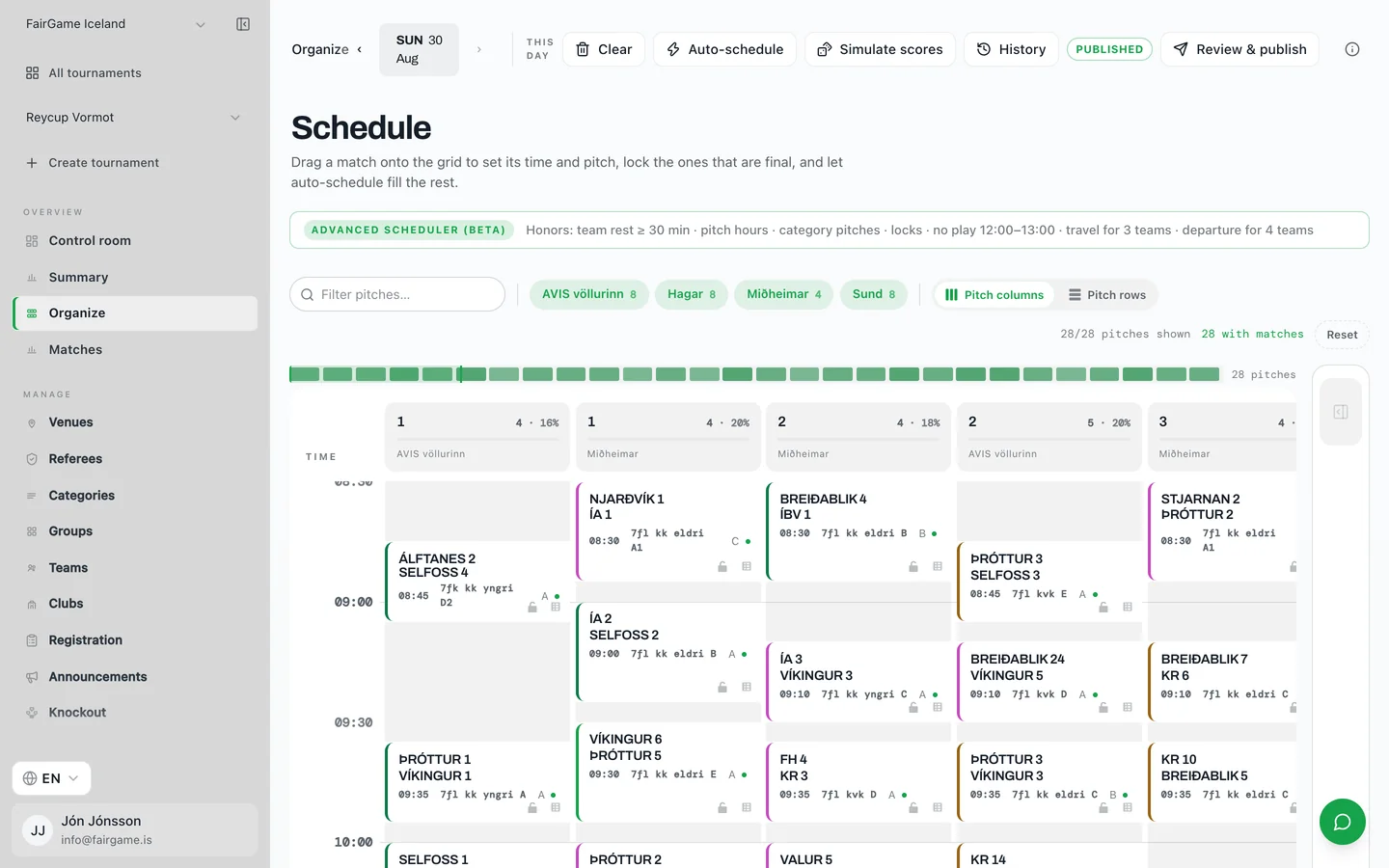
To build a round-robin schedule in Excel, list your teams in one column, keep the first team fixed, and rotate the rest one position each round — this is the circle method, and it guarantees every team plays every other exactly once in n − 1 rounds.
Below is the manual layout, the formula that does the rotating for you, and the point at which a spreadsheet stops being the right tool.
Step 1: work out how many matches and rounds you need
Before laying anything out, get the size of the problem. A single round-robin with n teams has n × (n − 1) ÷ 2 matches. Eight teams is 28 matches; twelve is 66. Double it for home-and-away.
Rounds are different from matches. A round is a set of matches that can all be played at the same time because no team appears twice. With an even number of teams you need n − 1 rounds, each containing n ÷ 2 matches. Eight teams means 7 rounds of 4 matches.
- 4 teams: 6 matches, 3 rounds of 2
- 5 teams: 10 matches, 5 rounds of 2 (odd count — one team byes each round)
- 6 teams: 15 matches, 5 rounds of 3
- 7 teams: 21 matches, 7 rounds of 3 (odd count — one team byes each round)
- 8 teams: 28 matches, 7 rounds of 4
- 9 teams: 36 matches, 9 rounds of 4 (odd count — one team byes each round)
- 10 teams: 45 matches, 9 rounds of 5
- 12 teams: 66 matches, 11 rounds of 6
Step 2: lay out the circle method by hand
The circle method is the reliable way to generate the pairings. Write your teams in two rows — the first half left to right on the top row, the second half right to left on the bottom row. Each column is a match.
With 8 teams, round 1 looks like this: the top row reads 1, 2, 3, 4 and the bottom row reads 8, 7, 6, 5. So the matches are 1 v 8, 2 v 7, 3 v 6, 4 v 5.
Now hold team 1 in place and rotate every other team one position clockwise around it. Team 2 moves to where 3 was, 8 moves up into team 2's old slot, and so on. Read off the new columns and you have round 2. Repeat until you have done n − 1 rounds, and every pair will have met exactly once.
Step 3: the Excel formula that rotates for you
If you would rather the sheet did the rotating, put your teams in A2:A9 (eight teams). A2 is the fixed team; A3:A9 are the seven that rotate.
Lay out a grid with one row per round and one column per match. For a round numbered R, let r = R − 1. The first match of each round always involves the fixed team:
- Match 1 home: =$A$2
- Match 1 away: =INDEX($A$3:$A$9, MOD(r, 7) + 1)
- Match k+1 home (k = 1, 2, 3): =INDEX($A$3:$A$9, MOD(r + k, 7) + 1)
- Match k+1 away (k = 1, 2, 3): =INDEX($A$3:$A$9, MOD(r - k + 7, 7) + 1)
Round 1 comes out as 1 v 2, 3 v 8, 4 v 7, 5 v 6. Round 2 as 1 v 3, 4 v 2, 5 v 8, 6 v 7. Every team appears exactly once per round, and no pair repeats.
Those pairings are not the same as the hand-drawn round 1 in step 2, because the formula starts the rotation from a different position on the circle. Both are complete, valid round-robins — a round-robin has many correct orderings, and what matters is that every pair meets exactly once. Pick one method and stay with it rather than cross-checking one against the other.
To adapt it to a different field size, replace the two 7s with n − 1 and the range with your own. The + 7 in the away formula is there only to keep the result positive before MOD — it must match n − 1 as well.
Step 4: handle an odd number of teams with a bye
The circle method needs an even count. With an odd number of teams, add a phantom entry called “Bye” to round the field up. Whoever is drawn against the bye sits that round out.
Seven real teams become eight entries, so you get 7 rounds instead of 6, and each team rests exactly once. Just remember to filter the bye rows out before you publish anything, or a coach will turn up to play nobody.
Where the spreadsheet stops helping
Everything above solves who plays whom. It does not solve when and where they play, and that is the part that actually eats an organizer's week.
The moment you assign your rounds to real pitches and real kickoff times, a new set of rules appears, and Excel has no idea about any of them:
- Two matches landing on the same pitch at the same time
- A team scheduled on two pitches in the same slot
- A team finishing on one pitch and expected on another minutes later
- Teams that travel and cannot start before a certain hour
- A referee asked to officiate a match their own team is playing
- Age groups that have to be finished and home by early afternoon
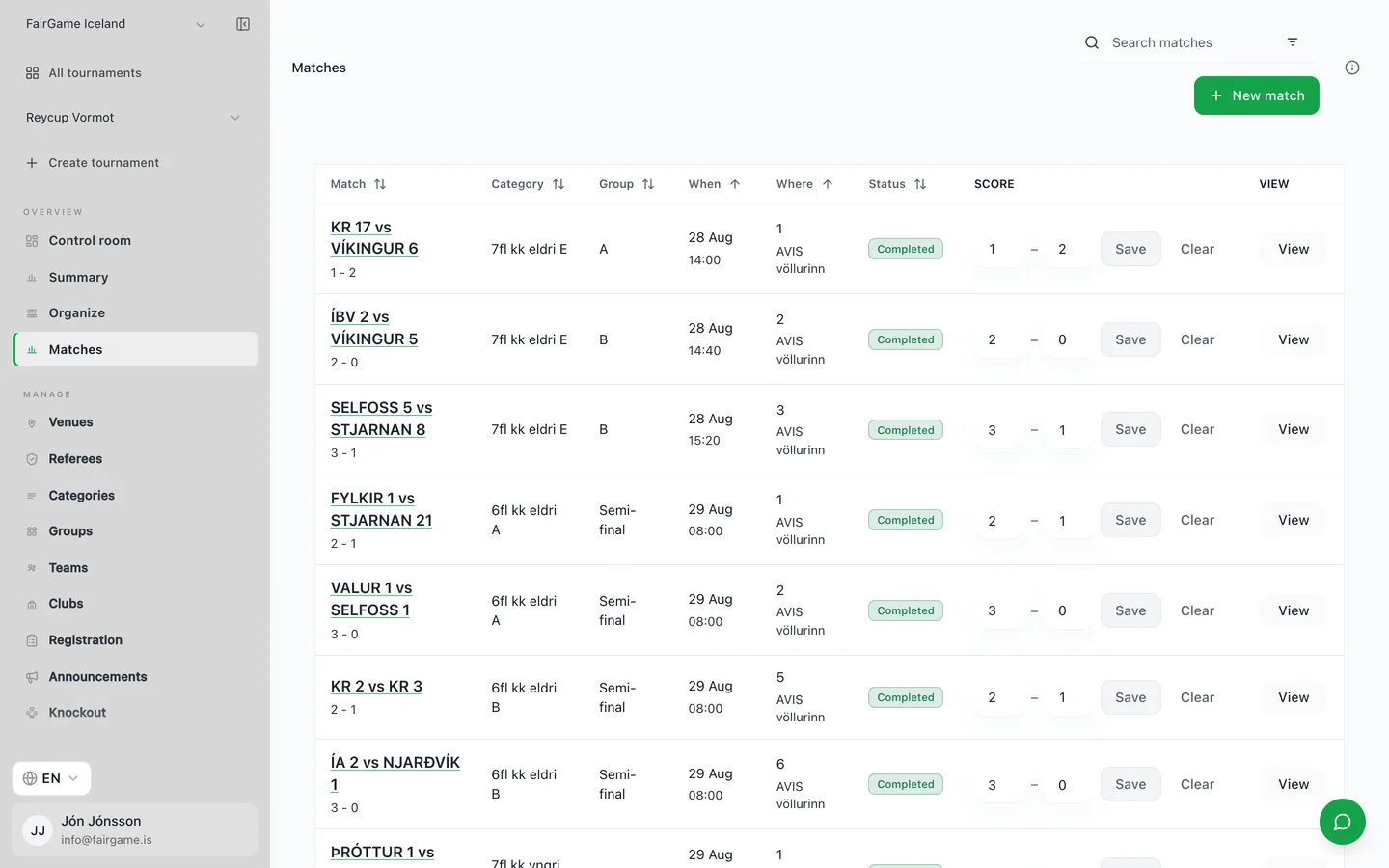
You can patch some of this with conditional formatting and a lot of care. What you cannot do in a spreadsheet is re-solve it. When a team drops out on the Thursday, or rain takes a pitch offline on the morning, the rotation you carefully built no longer fits and every downstream cell has to be redone by hand.
The faster way: let a solver place the fixtures
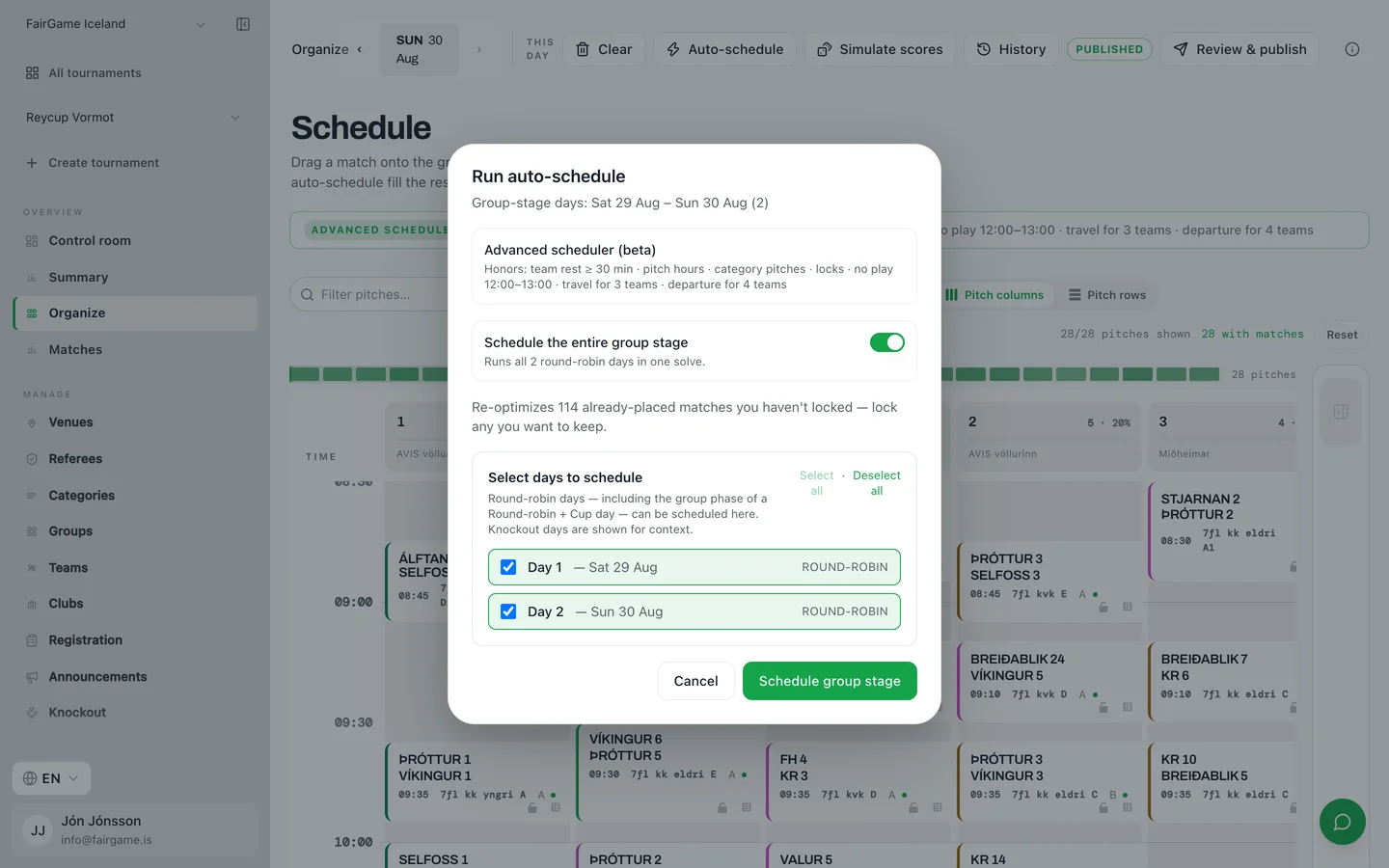
Each of those rules is a constraint, and constraints are exactly what scheduling software exists to satisfy. FairGame takes your teams, pitches and available hours and returns a complete round-robin — every fixture placed, no clashes, rest respected, referees never double-booked — in seconds rather than evenings.
You write the rules once, as hard requirements or soft preferences, and if the day genuinely cannot fit, it tells you why and what to change instead of quietly dropping matches. When a team withdraws, it reschedules the affected fixtures rather than making you start over.
Frequently asked questions
How many matches are in a round robin with 8 teams?
28 matches. The formula is n × (n − 1) ÷ 2, so 8 × 7 ÷ 2 = 28. Those 28 matches are played across 7 rounds of 4 simultaneous matches. A home-and-away double round-robin doubles it to 56.
How many matches for other team counts?
Same formula, n × (n − 1) ÷ 2, for any team count: 4 teams is 6 matches, 5 is 10, 6 is 15, 7 is 21, 9 is 36, 10 is 45, 12 is 66. With an odd number of teams the match count is the same as the formula gives, but you need n rounds instead of n − 1, because a bye rotates through each round instead of a match.
Does Excel have a round robin template?
Excel ships no official round-robin generator. Community templates exist, but most hard-code a single team count, so changing the number of teams breaks the layout. Building it yourself with the circle method and an INDEX/MOD formula is more reliable, because you can resize it by changing one number.
How do you handle an odd number of teams in a round robin?
Add a phantom team called a bye so the field is even. Whoever is drawn against the bye rests that round. An odd field of n teams gives n rounds instead of n − 1, and every team gets exactly one bye across the tournament.
What is the circle method?
A way of generating round-robin pairings by fixing one team in position and rotating all the others around it one place per round. Teams facing each other across the circle play that round. For an even field it produces a perfect schedule in n − 1 rounds with no repeated fixtures.
Can Excel schedule matches onto pitches and times?
Not on its own. Excel can generate the pairings, but it has no concept of pitch availability, rest between matches, travel windows or referee conflicts, and it cannot re-solve the schedule when something changes. That is the point where organizers move to dedicated scheduling software.