What's New: Late September 2026

Our last post was nine days ago, on September 17th, and it ended by saying the rebuilt iOS app was not something you could install yet. It is now, on iPhone and iPad, and the new Android app went out the same day.
The rest of this post covers a tournament format FairGame did not have before, the Swiss pool, which you can draw in advance or round by round as results come in; a match clock the whole hall plays to; and a setting that stops a 12–0 from being published as 12–0. A good share of the work in between is invisible, mostly release tooling for the apps, error reporting and making the admin app hold up at 512 teams, and we have left it out.
One big pool instead of four small groups
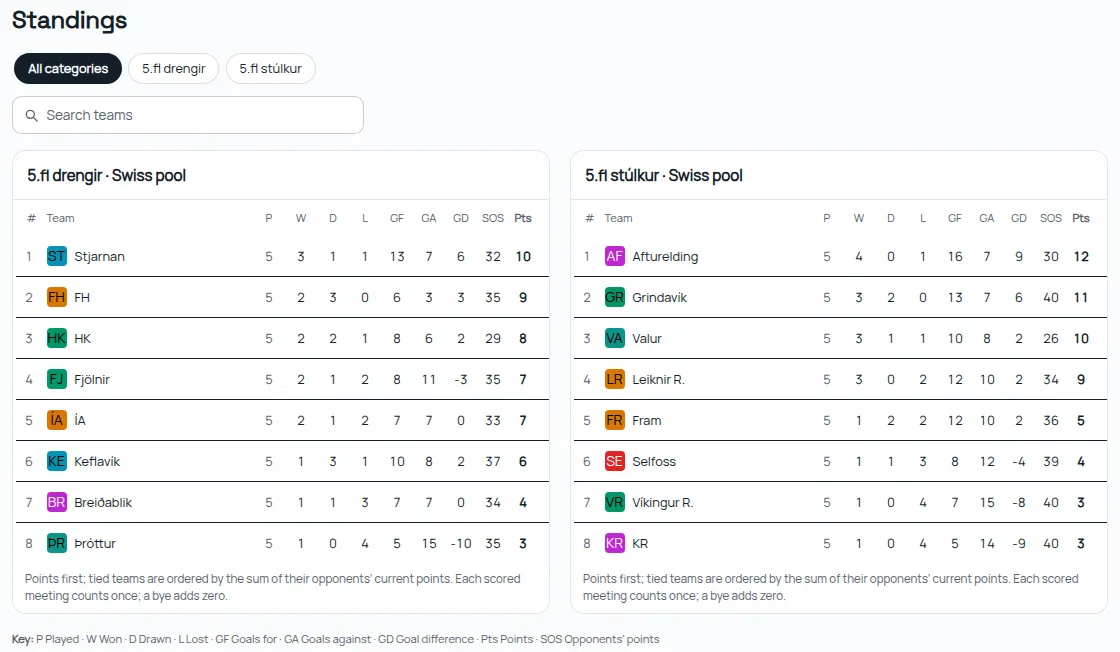
The Swiss pool keeps the whole field in one group. Each team plays a set number of rounds, five by default, against opponents close to its own strength, and nobody is knocked out. Twelve teams over five rounds is 30 matches, where everyone playing everyone would take 66. It suits big youth age groups particularly well: splitting them into groups of four builds a cliff between the bottom of one group and the top of the next, two teams a goal apart in strength who never meet.
You choose it in the setup wizard under Format → More formats → Swiss pool, and then decide how it is drawn.
Drawn up front. Every round is drawn before the tournament from the strengths you registered, so the schedule publishes complete, with times, opponents and pitches, like any other format. After Finish the wizard tells you how far the draw had to reach, for example Opponents are at most 1 group apart, instead of quietly pairing a strong team with a weak one. On the table, teams level on points are separated by the points their opponents have earned, shown in an SOS column, so a team that met the top of the field is not ranked below one that did not.
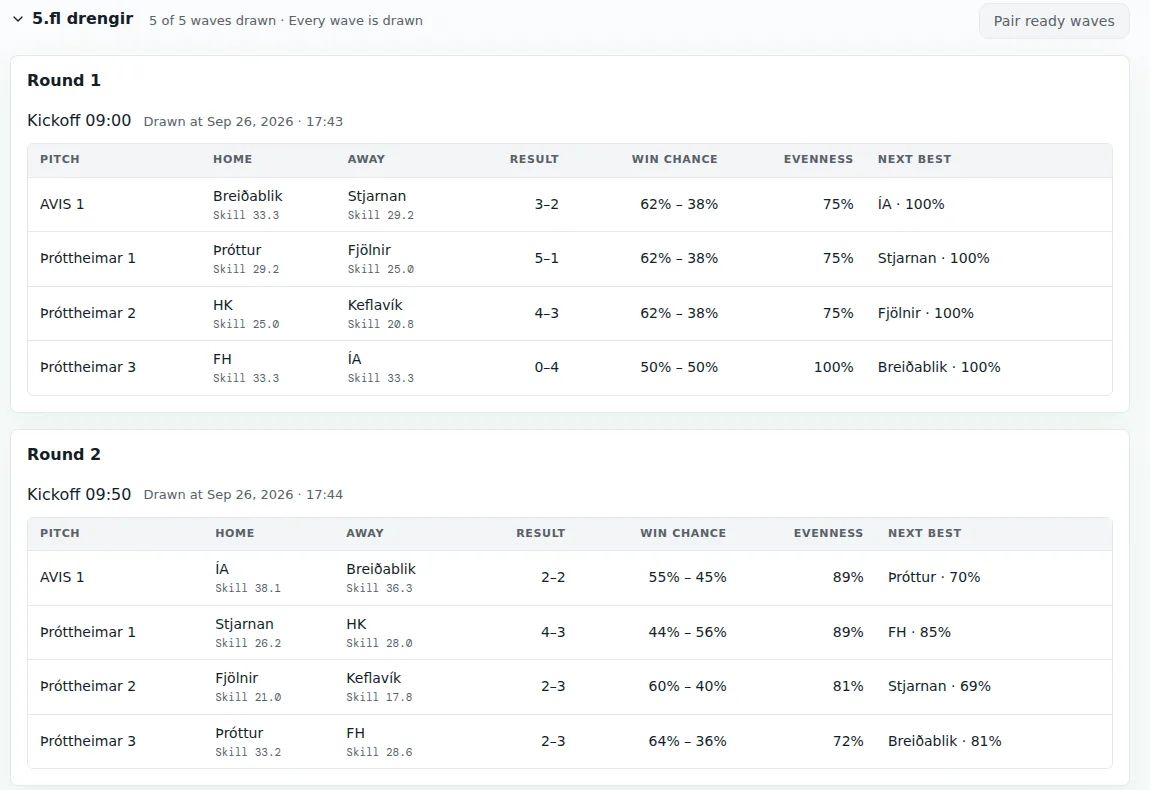
Drawn round by round. Tick Draw each round from the results so far and every team's kickoff times are still published up front, but each round's opponents and pitches are drawn shortly before it starts, 20 minutes by default. Round 1 is paired from registered strength. From round 2, FairGame recomputes a skill rating for every team from the results entered so far and pairs teams of similar skill who have not met yet, so a team registered at the wrong strength finds its level within a round or two instead of spending the day among the wrong opponents. Parents following a team in the FairGame app hear about it the moment the round is drawn: a notification names the opponent, the kickoff time and the pitch. Until then the match reads To be drawn on the public page, with the time of the draw.
The Adaptive rounds page lists every drawn match with both teams' skill, the win chance and how even the match is. Until a wave kicks off you can fix a pairing and have the rest drawn around it, or lock the pairings you like and draw the others again. Pair all ready waves draws every round whose teams already have results, across all categories, in one click. And Simulate scores on a draft now draws the later rounds as it goes, so you can run the whole day through before you publish it; on our 16-team test it filled 40 matches and drew 8 waves on the way.
The Swiss pool works in the admin app and on the public site, and the draw notifications already reach the iPhone and Android apps. The apps' own schedule screens pick up rounds drawn as you go in their next update.
The FairGame app is native now, and it has an iPad layout
The apps we said we were rebuilding screen by screen are the ones in the stores now, version 26.9.22 on the App Store and on Google Play. They replaced the old app under the same listing, so anyone who had it installed received the new one as an ordinary update.
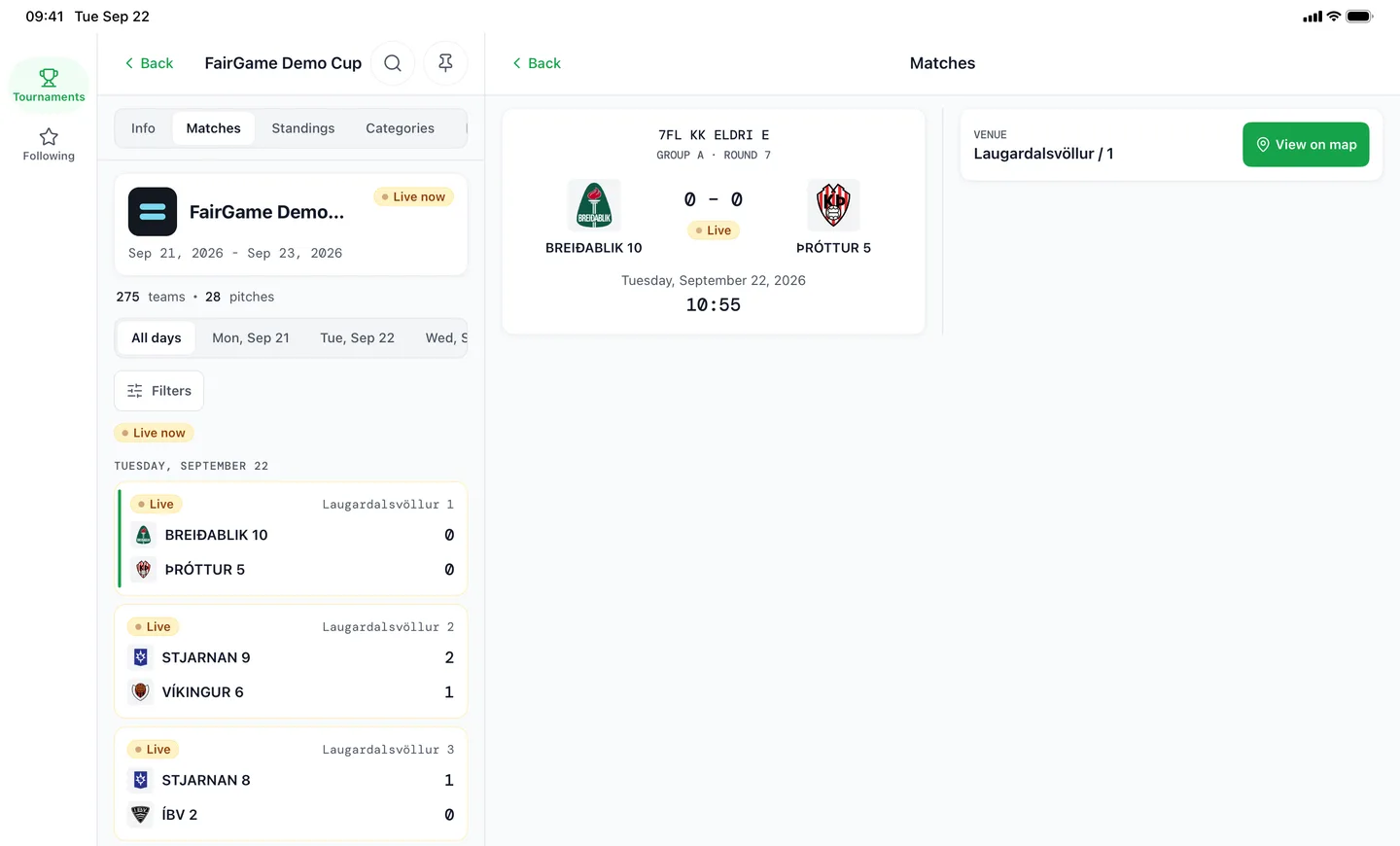
The iPhone app also runs on iPad. On the larger screen it puts navigation in a rail down the side, shows the tournament list and the match you opened side by side, and lays out matches, standings and teams as grids. You can pin a tournament so the app opens straight into it, which is what a parent wants for the three days a tournament lasts, and standings tables are grouped by category.
The public site does its part too. At the foot of every tournament page a small card points visitors to the app with App Store and Google Play badges, because a parent following one team is better served by a notification than by refreshing a web page.
One clock for the whole hall
A multi-pitch day loses its schedule one pitch at a time: a referee runs long, the next kickoff slips, and by lunch the printed times are fiction. The match clock in the Control room runs one cadence (match, changeover, match) and every pitch plays to it. When the countdown reaches zero the round is over, and the next one starts when the changeover ends, whether or not anyone pressed anything. Pause holds every pitch at the same second and Resume gives the held time back, so a hold delays the tournament without shortening a match.
A clock you have never set starts from the tournament's own timing, 20 minutes of play and a 5-minute break for our demo cup, instead of a generic default. Open the hall screen gives you a public link to cast to the projector or the television at the end of the hall.
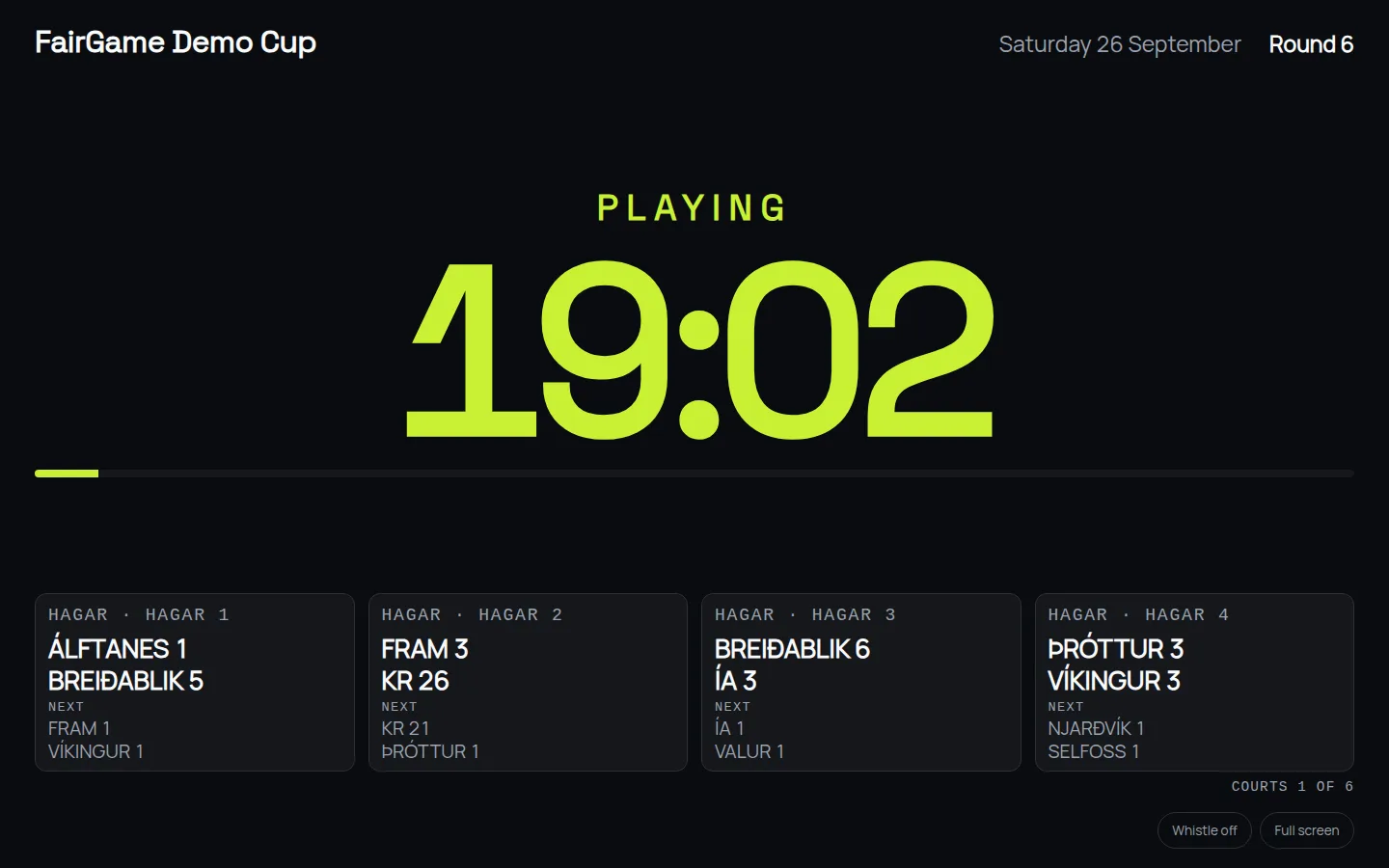
The screen shows the countdown, the round, and every pitch with the match on it and the one after, paging through the pitches when there are more than fit. It can blow a whistle when play starts and when it stops. Every screen takes its time from FairGame's server rather than its own clock, so a television that is four minutes out still agrees with the organizer's laptop.
A 12–0 does not have to be published as 12–0
Youth tournaments produce lopsided results that are real but that nobody wants on a page the losing team's families read. Until now the ways out were entering a score that never happened, which the standings then believed, or publishing nothing at all.
Settings → Public page → Largest margin shown publicly changes only what the public page prints. With a cap of 3, a 12–1 is published as 4–1: the losing side keeps its goals and only the winner's come down, so a win never turns into a draw. Standings, goal difference, ratings and knockout places all still use the real score, and the public table carries a note saying so.
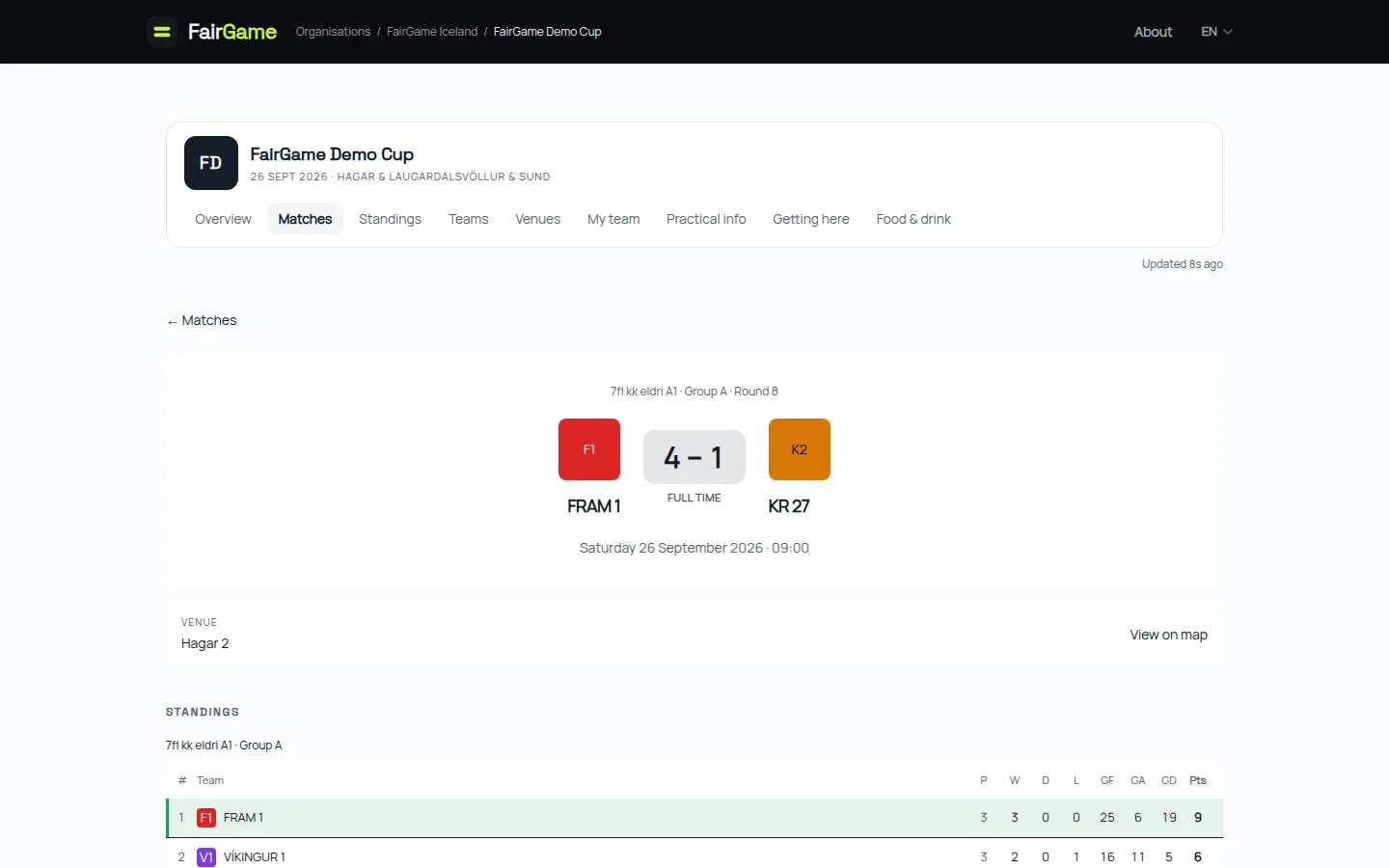
The standings table can now be hidden per category, too. A category's settings offer Use tournament default, Show standings or Hide standings, so the youngest age group can play without a table while the older ones keep theirs.
Smaller things that add up
- The wizard's Teams step has a Target teams per group setting and re-draws the groups to match it. When teams have different registered strengths, teams of similar strength are now drawn into the same group instead of being spread across all of them.
- Turning off Published tournament asks first. The public page and schedule go offline the moment you confirm, and that should never happen by a slip of the mouse mid-tournament.
- The Auto-schedule confirmation lets you choose between the standard and the advanced scheduler without leaving it.
- Long admin lists such as Matches keep every row in one table instead of showing them 60 at a time, and draw only the rows on screen, so a tournament with hundreds of matches still scrolls smoothly.
- The public site's breadcrumb names the organization instead of showing its web address.
What's next
Next up are the app updates that bring Swiss rounds to iPhone and Android, along with the apps working properly with the phone turned sideways. After that, the Swiss pool needs what every new format needs: real tournaments played on it. If you run a large age group and have wondered whether groups of four are really the fairest way to split it, write to us at info@fairgame.is. We would like to set one up with you.