What's New: Summer 2026 Release

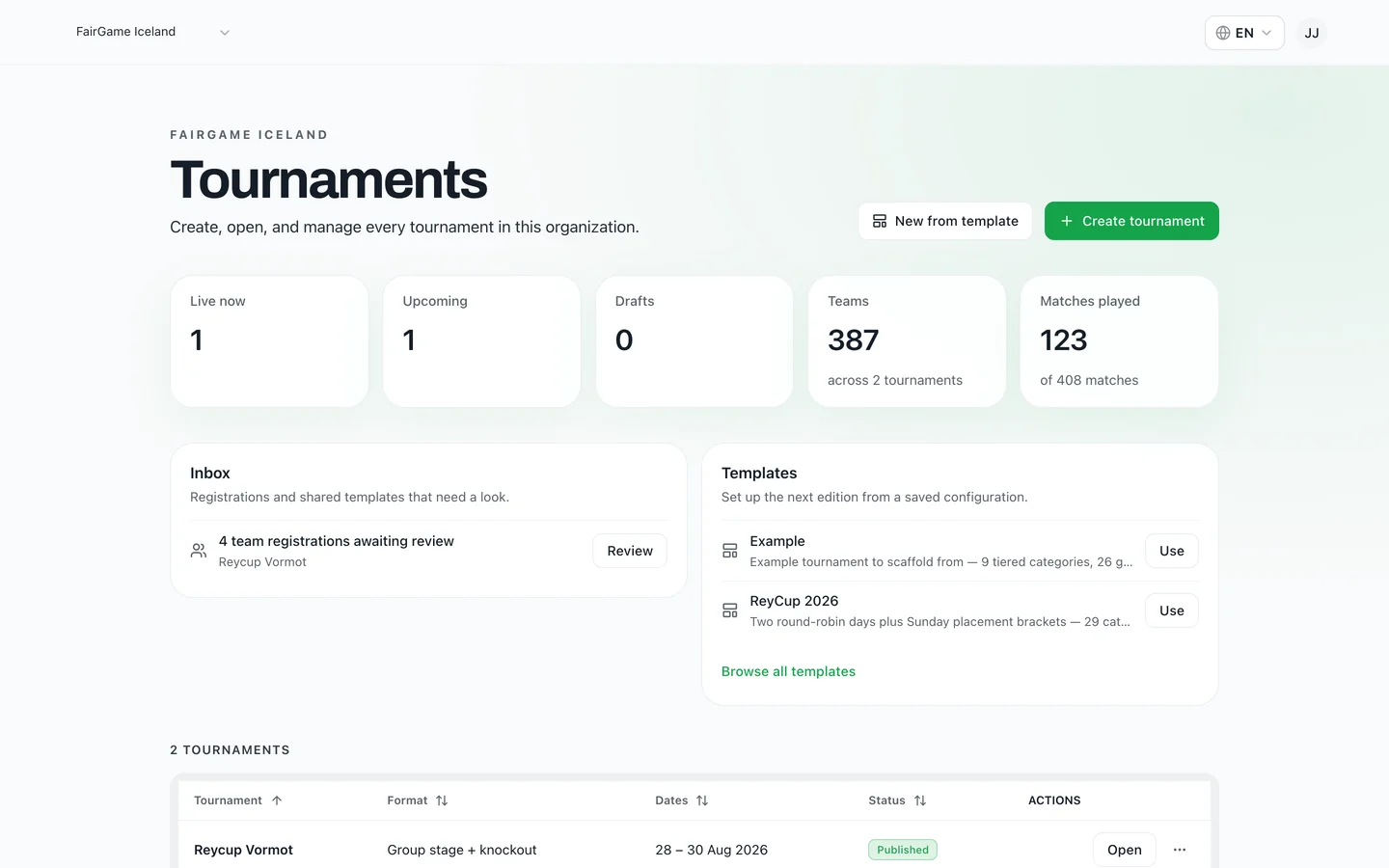
We spend most of our time with organizers during the parts of a tournament that hurt: the week before, when the schedule still doesn't fit, and the morning of, when a referee doesn't show. Almost everything that shipped this summer came out of watching those two moments.
Here is what is new — what each feature does, and the specific problem it removes.
Coming soon: referees who staff themselves
This is a preview of something we are building, not a feature you can switch on today. We are showing it because it is the change organizers ask us about most. Referee staffing as it works right now is described at the end of this section.
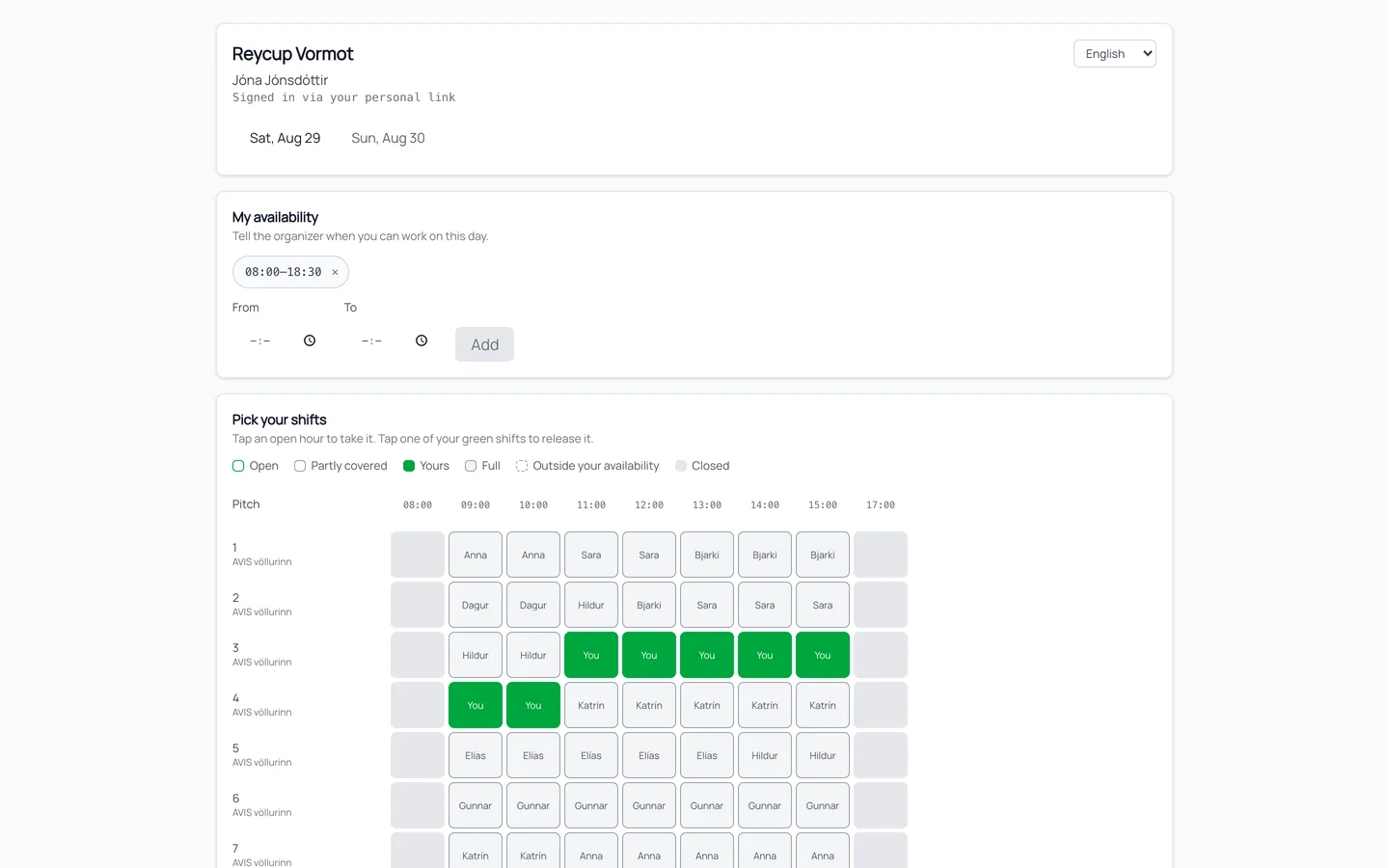
Collecting referee availability still means phone calls and a spreadsheet, with you typing in every answer. We are building a version where each referee gets their own link instead. No app, no account, no password — they open it on their phone, tell you the hours they can work, and take the shifts they want.
They will see the whole grid: which pitch-hours are open, which are already covered, and which are theirs. Tapping an open hour claims it; tapping one of their own green shifts releases it. Hours outside the availability they set are locked, so nobody accidentally signs up for a shift they can't work.
What you can do today: staff the coverage grid yourself. Enter each referee's availability, assign matches individually or in batches, and let auto-staff fill the rest in one click — anything still uncovered stays red, and you can copy a day's staffing to the next one. Referees already get a personal link to the matches they are on, and enter results straight from it. If a link ever goes astray, rotate it and the old one stops working.
The scheduler enforces your rules, not just your fixtures
Every tournament has rules that live in the organizer's head. The teams flying in can't start before ten. The youngest groups go home after lunch. Nobody plays three games back to back. There is a break at midday when the pitches are needed for something else.
You can now write those down as constraints and let the scheduler honor them. Each rule is marked required or preferred, so you can distinguish what must hold from what you would merely like.
- Break windows where no match may be placed
- Earliest start and latest finish per team, for travel and for bedtimes
- Rest overrides for specific teams, on top of the tournament-wide minimum
- A cap on matches per team per day
- Restrictions on which pitches a group may use
- Final rounds that all kick off at the same time
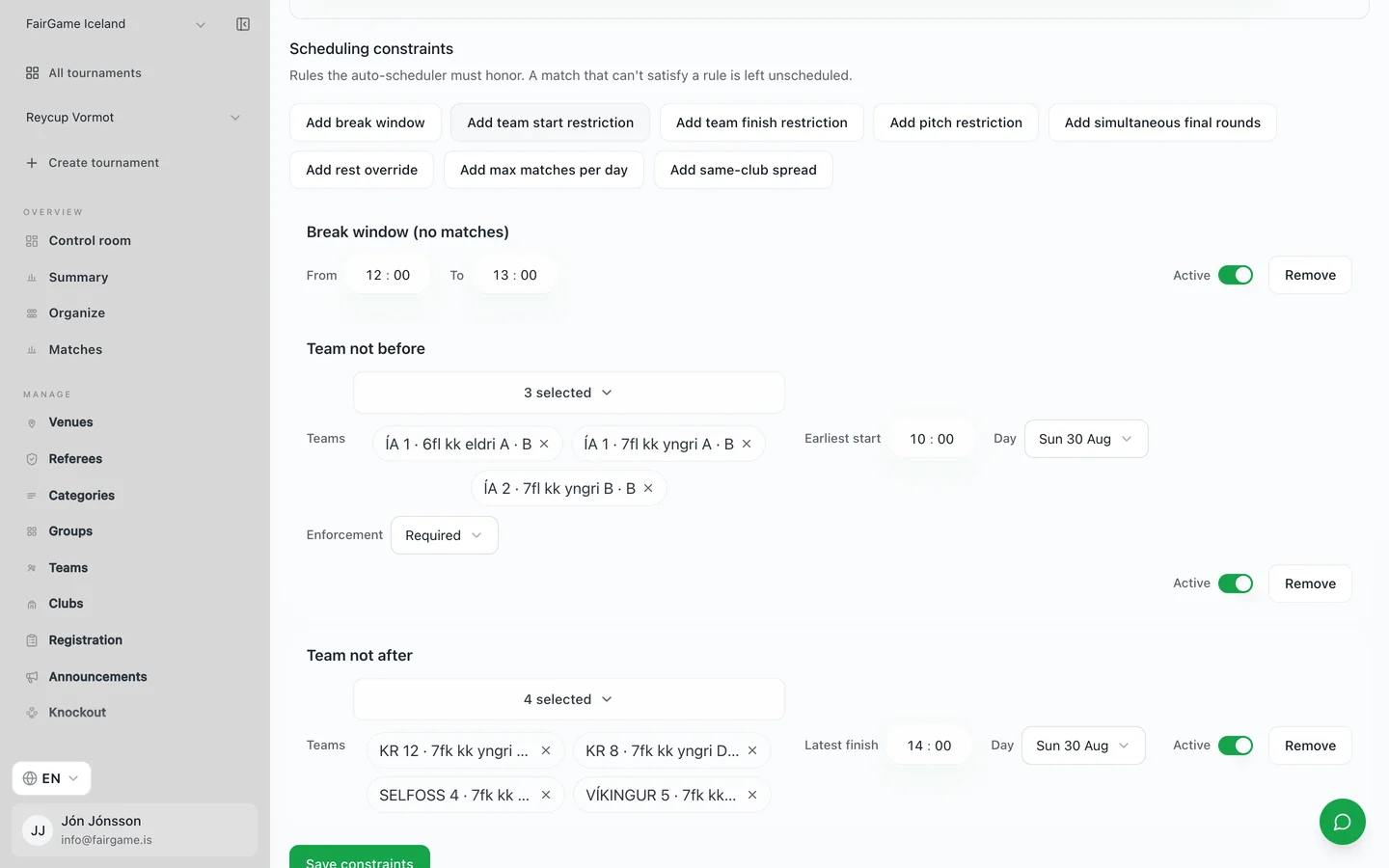
Turn on the advanced scheduler and it solves the whole day at once rather than filling slots one match at a time — which is what makes honoring all of these simultaneously possible. If your day genuinely cannot fit, it says so and explains why, instead of quietly dropping matches you only notice on the morning.
Save this year's setup, run it again next year
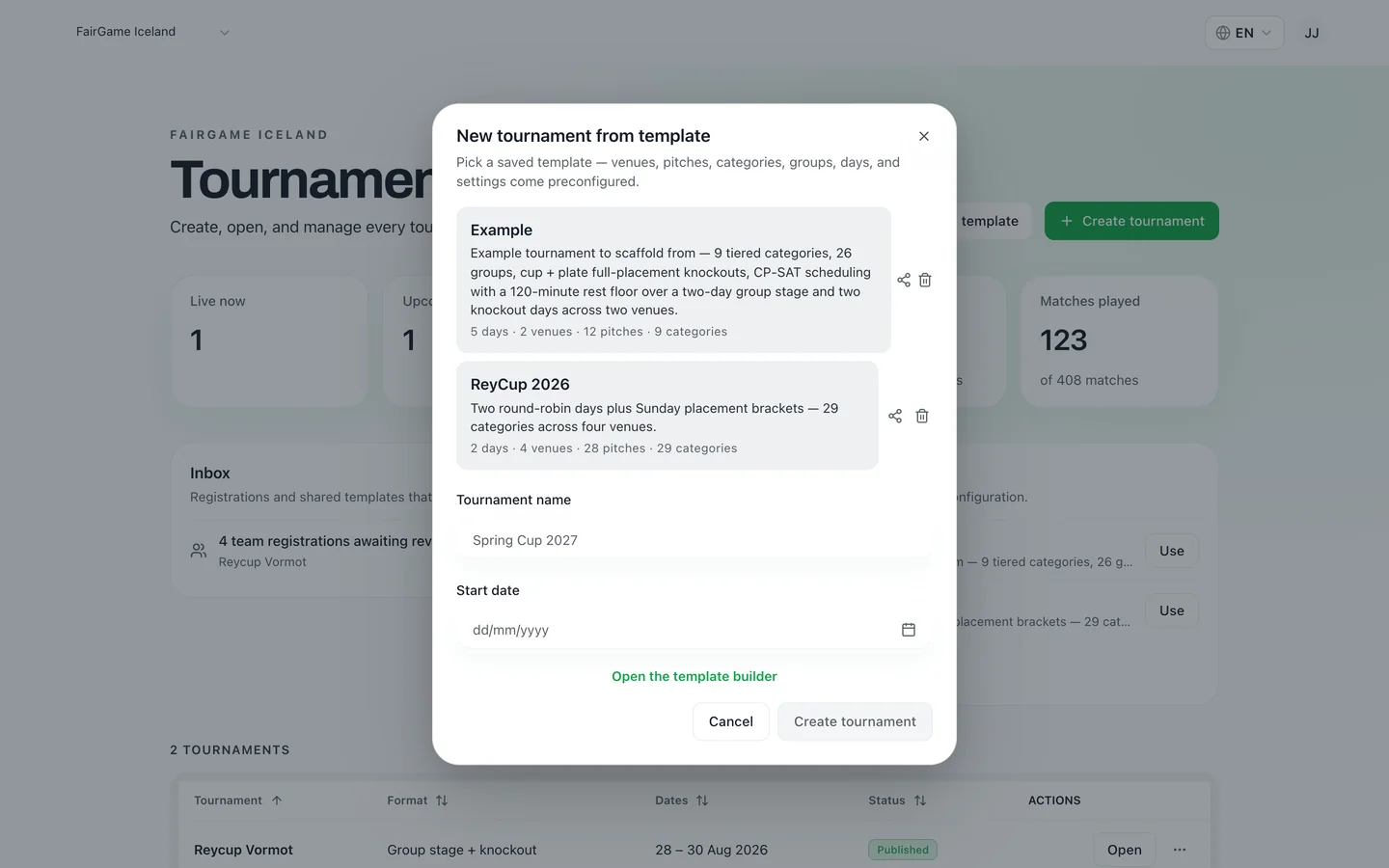
Most organizers run the same tournament every season, and used to rebuild it from scratch every season. You can now save a tournament as a template: venues, pitches, categories, groups, days and settings, without the teams or the results.
Next season you pick it off the shelf, give it a name and a start date, and you are back where you finished — only a year smarter. You can also build one from scratch in the template builder, or share a template with another organizer by email so they can run your format too.
Knockouts that go deeper
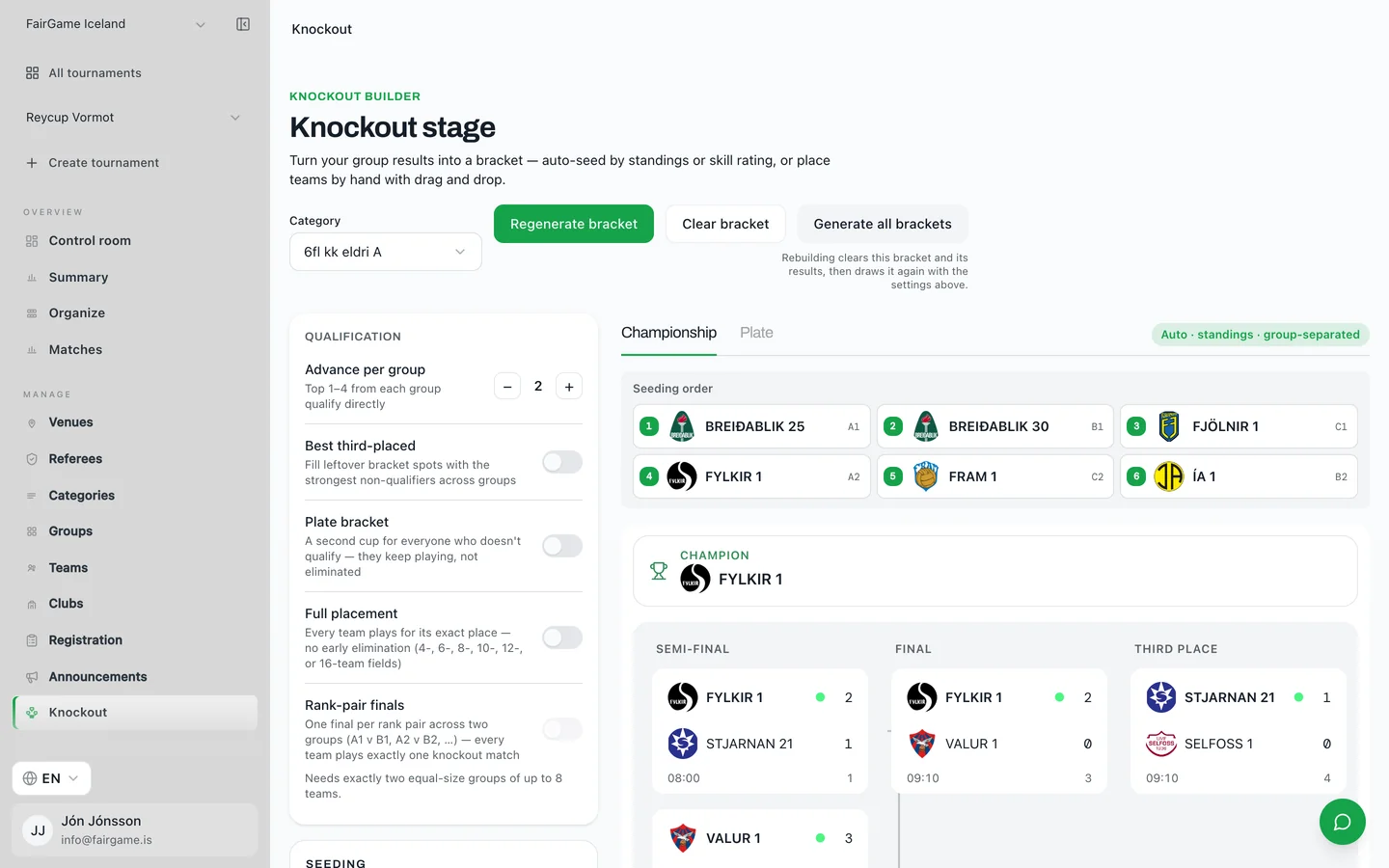
Brackets now run up to a round of 32, so large fields no longer need to be split. Beyond size, the bigger change is what happens to the teams who don't win: a plate bracket gives everyone who fails to qualify a second cup, and full placement playoffs let every team play for its exact finishing position rather than going home after one bad game.
Qualifiers flow straight from the live group standings. Seed the bracket automatically by those standings, or by skill rating to keep the strongest sides apart, or drag teams into place by hand.
A control room for the day itself
Setup and match day need different screens. The control room is the match-day one: how far through the tournament you are, how healthy the schedule is, which phase each category has reached, and the status of every pitch.
The part organizers use most is the queue of things that actually need a decision — conflicts, matches with no kickoff time, brackets waiting on a group to finish — ordered by urgency, so you work down a list instead of hunting for problems.
Guided or manual, your call
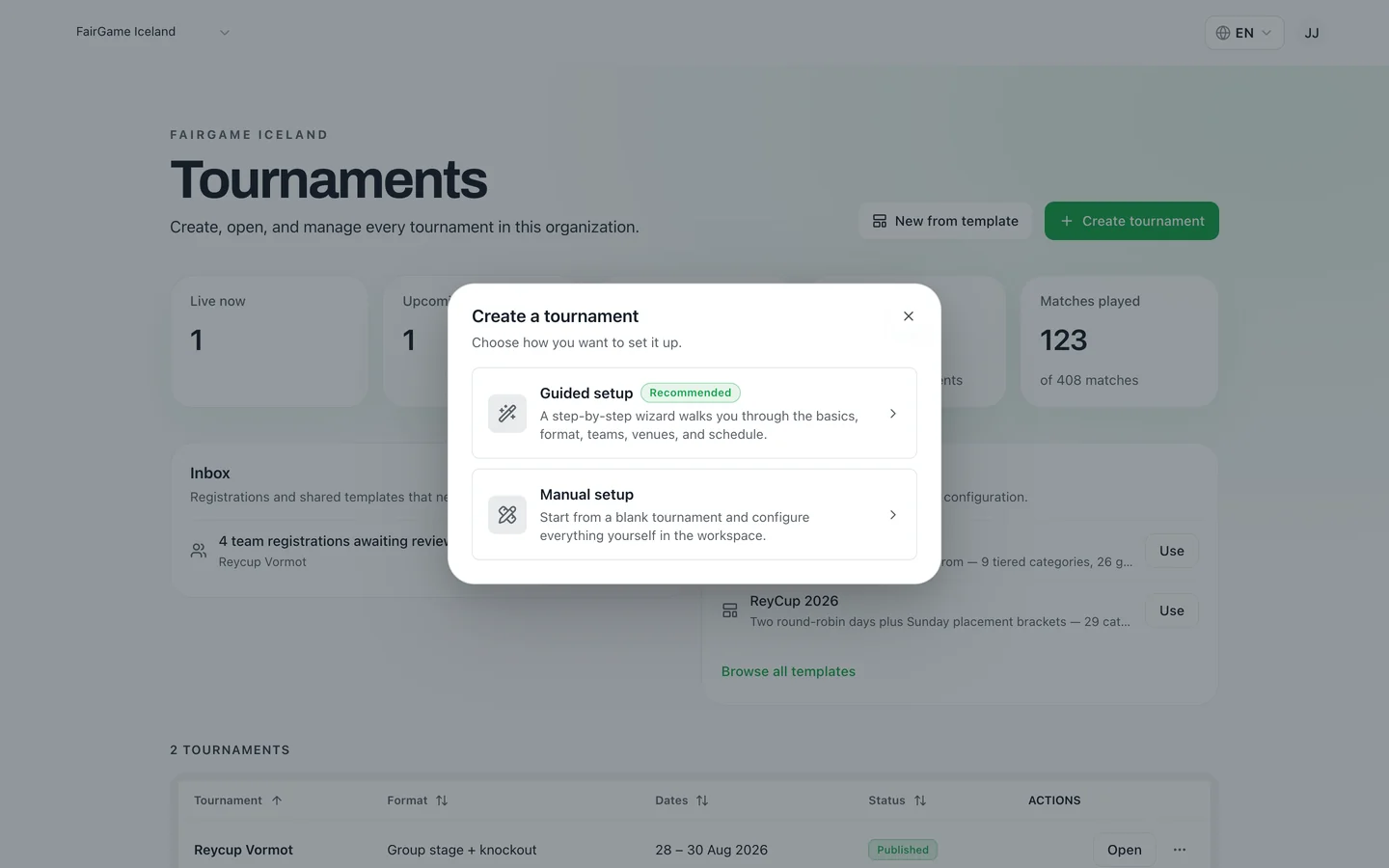
The setup wizard is the fastest way to a working tournament, and it is still what we recommend for a first one. But organizers who already know exactly what they want found it slow. Creating a tournament now asks which you would prefer: the step-by-step wizard, or a blank tournament you configure yourself in the workspace.
Smaller things that add up
- Invite co-organizers, club admins and referees to your organization by email, each with the access their role needs.
- Email every team's coach at once — schedule changes, arrival times, reminders — and see who is reachable before you send.
- Import rosters from a private Excel file as well as a shared Google Sheet, and map a contact email per team while you are there.
- Sign in with a one-time email code, a password, or Continue with Google.
- The FairGame Sports app for followers is now on both the App Store and Google Play.
What we are working on next
The theme of this release was handing work back to the people and the systems that should own it — the scheduler enforcing rules you would otherwise police by hand, last season doing the setup for this one, and, once it is ready, referees managing their own shifts.
That is also where we are headed next. If you run tournaments and something here is close to what you need but not quite it, we would rather hear about it than guess — write to us at info@fairgame.is.